10 Must-Have Home Office Gadgets to Supercharge Your Productivity
Introduction: Is Your Home Office Setup Holding You Back?
Working from home has become the new norm for many, but how productive is your current setup? Whether you’re a seasoned remote worker or just transitioning, having the right gadgets can make a significant difference. A cluttered desk or outdated equipment might be costing you precious time and focus. In this blog, we’ll explore 10 must-have home office gadgets that can take your productivity to the next level, helping you work smarter, not harder.
1. Ergonomic Office Chair: Comfort Meets Productivity
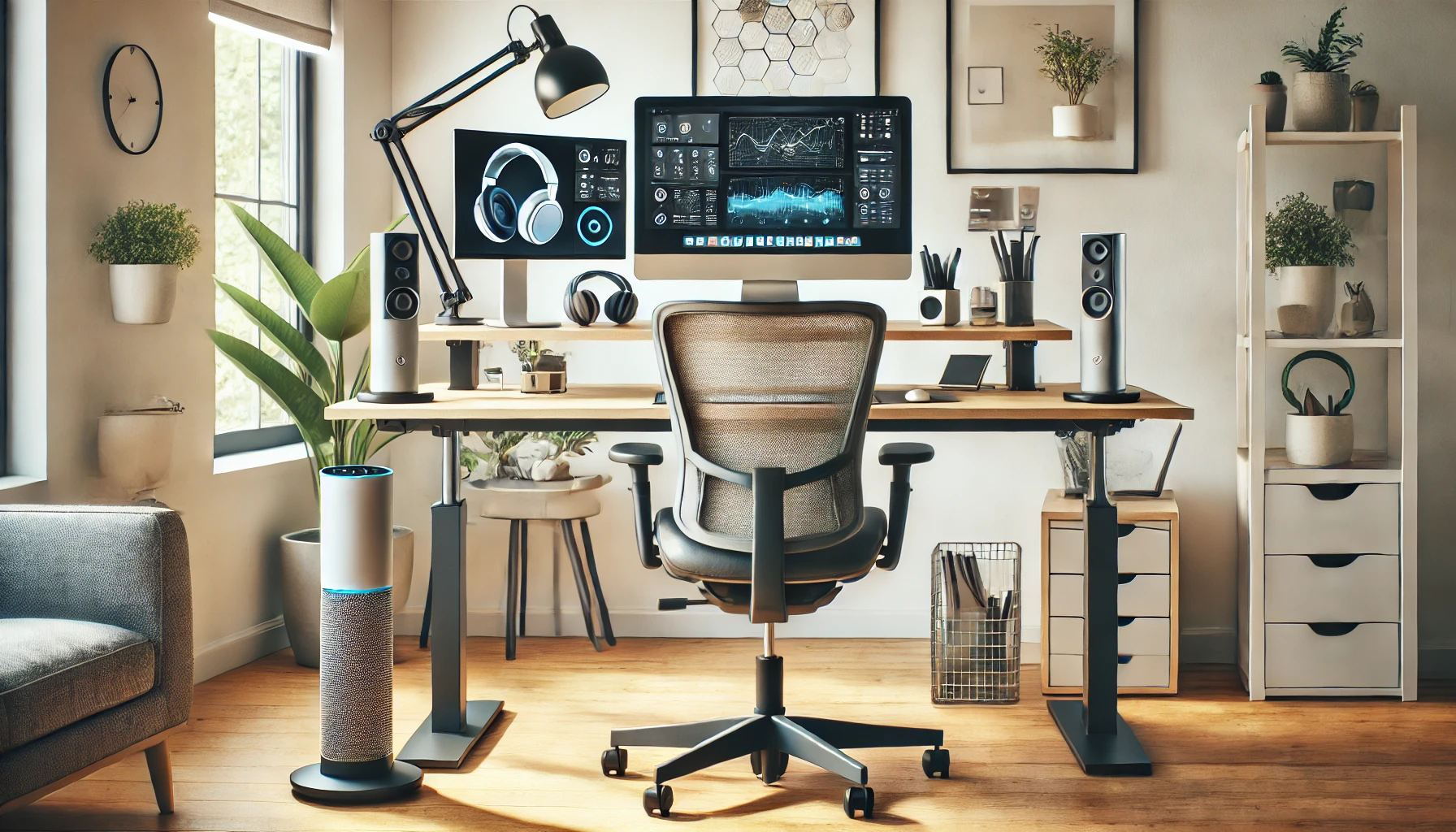
The first gadget to supercharge your productivity is an ergonomic office chair. Why? Because comfort is key. Studies show that sitting in a poorly designed chair can cause back pain and fatigue, reducing productivity by up to 20%. An ergonomic chair supports your posture, making long working hours comfortable and efficient.
Look for a chair with adjustable features like lumbar support, height, and tilt. Popular models like the Herman Miller Aeron and Steelcase Gesture are on the pricier side, but they are investments that pay off with better comfort and improved health.
2. Height-Adjustable Standing Desk: The Ultimate Flexibility
Standing desks have gained popularity, and for good reason. A height-adjustable desk allows you to alternate between sitting and standing throughout the day. This reduces the risk of health issues linked to prolonged sitting, such as cardiovascular problems. Plus, standing can boost energy and help you stay focused.
Products like the FlexiSpot and the VariDesk offer a range of standing desks at different price points, allowing you to seamlessly switch positions while working.
3. Noise-Cancelling Headphones: Stay Focused, Block Out Distractions
Working from home comes with a unique set of challenges—like noisy neighbors or family members. Noise-cancelling headphones are a game-changer when it comes to keeping distractions at bay. Brands like Bose and Sony have models that not only block out noise but also deliver crystal-clear audio for calls and meetings.
With fewer distractions, you can focus on the task at hand, helping you accomplish more in less time. Noise-cancelling headphones are perfect for those who need to create a distraction-free zone at home.
4. High-Quality Webcam: Professional Presence for Virtual Meetings
Virtual meetings are a staple of remote work. A good-quality webcam ensures that you come across as professional during calls. A clear video feed can also help establish better connections with clients and coworkers.
The Logitech C920 is a popular choice, providing HD video quality with great autofocus features. A good webcam allows you to present yourself in the best light—literally and figuratively.
5. USB Docking Station: More Ports, Less Hassle
If you frequently find yourself short of USB ports, a docking station can be a lifesaver. It lets you connect multiple devices—like monitors, a mouse, a keyboard, or external storage—to your laptop with ease. This simple gadget streamlines your workspace and makes multitasking effortless.
Anker and Dell make excellent docking stations that support multiple displays and data transfer, making your setup efficient and reducing the need to constantly plug and unplug devices.
6. Wireless Charging Station: Tidy Desk, Charged Devices
A wireless charging station can be a neat solution to the tangle of charging cables on your desk. Devices like the Belkin Boost Charge can charge multiple gadgets, including your phone, smartwatch, and earbuds, all in one place.
This not only keeps your workspace clutter-free but also ensures that all your devices stay charged without having to deal with numerous cables.
7. LED Desk Lamp with Adjustable Brightness: Illuminate Your Productivity
Proper lighting can make a big difference in your productivity levels. An LED desk lamp with adjustable brightness helps reduce eye strain, especially when working late into the night. Many LED lamps even come with settings to adjust the color temperature—from warm to cool—based on your preferences.
The BenQ e-Reading Desk Lamp is one of the top options, providing even lighting across your workspace to help you stay focused and comfortable.
8. Smart Assistant: Let AI Simplify Your Day
A smart assistant like Amazon Echo or Google Nest can help automate repetitive tasks in your workday. Set reminders, control office lighting, or even schedule meetings with simple voice commands.
Integrating a smart assistant into your home office allows you to stay hands-free and focus on more important work, making your day more productive and organized.
9. Cable Management Solutions: Keep the Clutter Away
Loose cables can turn any desk into a disorganized mess. Simple gadgets like cable clips, cable boxes, or even a cable sleeve can keep everything tidy. This not only makes your workspace look more professional but also helps you stay organized.
A neat desk leads to a neat mind—keeping you focused on tasks rather than distracted by the clutter around you.
10. Dual Monitor Setup: Expand Your Workspace
Finally, a dual monitor setup is one of the most effective gadgets for improving productivity. Studies have shown that using dual monitors can increase productivity by up to 42%. It helps reduce the time you spend switching between tabs and gives you a much larger digital workspace.
If you deal with multiple applications or need to keep reference materials visible while you work, a dual monitor setup can be a game-changer. Brands like Dell and LG offer affordable and high-quality monitors that pair well together.
Frequently Asked Questions
Q: Are standing desks really better for productivity?
Yes, standing desks can be beneficial for productivity because they encourage movement, reducing fatigue from prolonged sitting. Alternating between sitting and standing keeps energy levels high and improves focus.
Q: Why is an ergonomic chair important for a home office?
An ergonomic chair helps maintain good posture, reduces physical discomfort, and prevents back issues—all of which are critical for staying productive during long workdays.
Q: Can noise-cancelling headphones help if I live in a noisy environment?
Absolutely. Noise-cancelling headphones are a lifesaver for those in noisy environments, allowing you to focus on your work by blocking out distractions.
Q: Do I need a dual monitor for a home office setup?
While not essential, a dual monitor setup is highly recommended if you work with multiple documents or applications at once. It can save you time and make multitasking much easier.
Q: What is the benefit of using a smart assistant in a home office?
A smart assistant helps automate repetitive tasks like setting reminders or scheduling meetings, allowing you to stay focused on more important work.
Conclusion: Upgrade Your Productivity with These Gadgets
Incorporating the right gadgets into your home office can drastically improve your productivity and make your workday more enjoyable. From ergonomic chairs to smart assistants, each gadget serves a purpose that helps you work efficiently and comfortably. Remember, investing in the right tools for your workspace isn’t just about comfort—it’s about improving your workflow and setting yourself up for success.
Whether you’re just starting out or looking to upgrade your current setup, these gadgets can make a significant difference. Don’t settle for a subpar workspace when simple additions can supercharge your productivity.
Some links on this website are Amazon affiliate links. We may earn a small commission for qualifying purchases, which supports the website.