Skip to content
  • Facebook
  • X Platform
  • Instagram
  • Youtube
John C's Place a blog focusing on tech, health, and lifestyle

John C's Place

Tech Reviews, AI Tools & Practical Guides for Working Professionals

  • Home
  • Tech Talk
  • AI Tools
  • Health & Wellness
  • Lifestyle
  • Entertainment
  • Reviews
  • Resources
  • Newsletter
  • Toggle search form
  • Multiple retailers have restocked Sony's PlayStation Portal handheld.
    Multiple Retailers have Restocked Sony’s PlayStation Portal Handheld. Technology
  • NZXT's Flex PC Rentals
    Gamers Nexus Criticizes NZXT’s Flex PC Rentals as ‘Misleading’ and ‘Predatory’ Entertainment
  • Spotify
    Spotify Outage Technology
  • Phone cooling device manufacturers should reduce their use of ice.-- Why It’s Time to Chill Out on the Ice READ ABOUT UT HERE
    Phone Cooling Device Manufacturers should reduce their use of Ice Reviews
  • AI Transforming the Sports Industry
    AI Transforming the Sports Industry: Innovations and Opportunities Sports
  • crypto industry
    The Crypto Industry Influences its Inaugural Election Thoughts
  • critical android security update what you need to know about february 2025s 47 vulnerabilities
    Critical Android Security Update: What You Need to Know About February 2025’s 47 Vulnerabilities Lifestyle
  • Is your online security truly robust?
    Unlocking Security: Why 2FA/MFA Isn’t Enough & How to Fortify Your Online Protection Lifestyle
master your notifications discover apples gamechanging wrist flick gesture in watchos 26

Master Your Notifications: Discover Apple’s Game-Changing ‘Wrist Flick’ Gesture in watchOS 26!

Posted on September 16, 2025April 6, 2026 By John Corcione No Comments on Master Your Notifications: Discover Apple’s Game-Changing ‘Wrist Flick’ Gesture in watchOS 26!

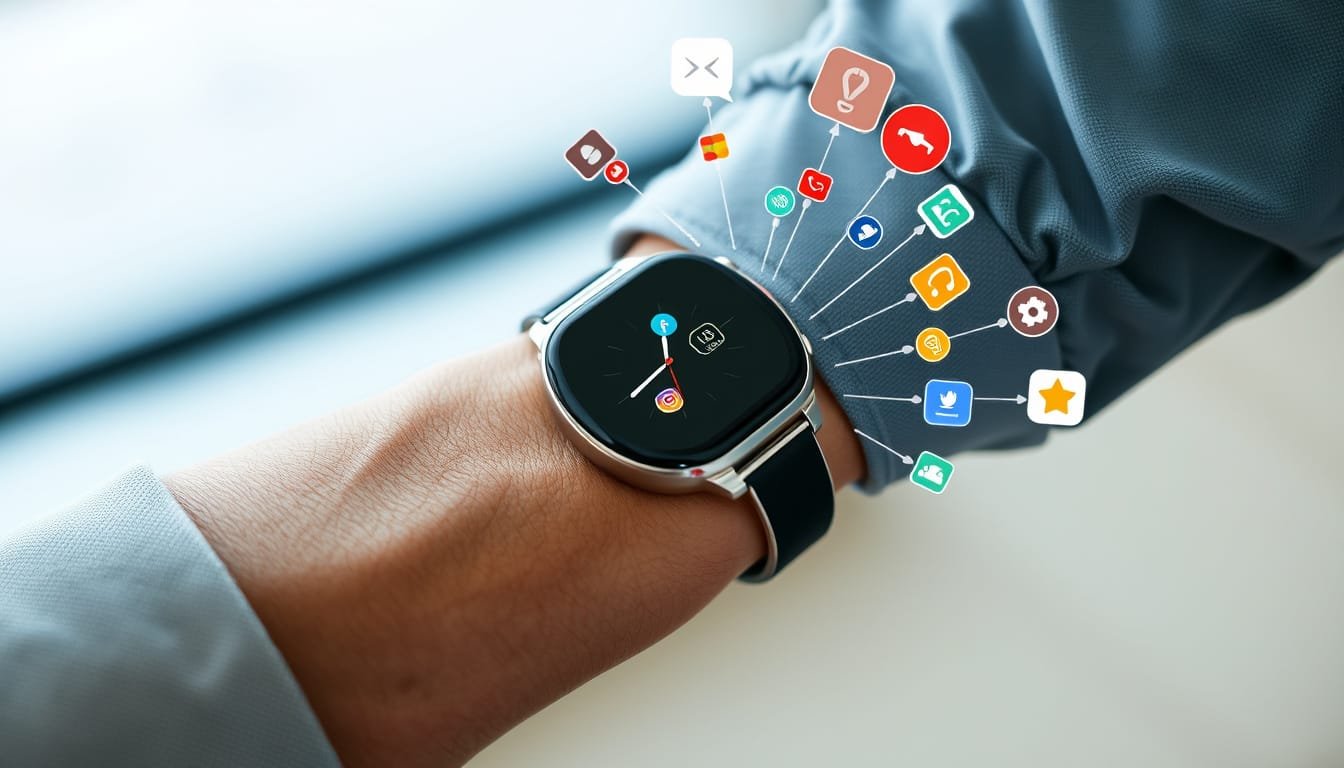
Apple just turned up the volume on smartwatch usability with the introduction of the ‘Wrist Flick’ gesture in watchOS 26!

This nifty feature is perfect for those moments when you’re busy and want to quickly dismiss notifications or calls without fumbling through your watch screen.

If you’re tired of surfing through your notifications, keep reading to learn how to master this game-changing gesture and streamline your Apple Watch experience.

To start using the ‘Wrist Flick,’ you’ll need to make sure your Apple Watch is updated to watchOS 26 and paired with an iPhone on the latest iOS
26.

Once that’s set, enabling it is as easy as pie: Head to Settings > Gestures and toggle on ‘Wrist Flick.’ Now you can flick your wrist away from your body when a notification pops up, and voilà!

You’re free from distraction.

Though the ‘Wrist Flick’ gesture is straightforward, it’s only the beginning.

Users can still enjoy the versatility of the ‘Double Tap’ gesture, answering calls or cranking up tunes with just a quick pinch of your fingers.

Imagine walking down the street, juggling coffee, and your beloved playlist starts blaring.

A flick of the wrist, and you’re back to cruising while managing notifications like a pro!

Currently, you can’t customize the ‘Wrist Flick’ as you can with the ‘Double Tap,’ but stay optimistic!

Apple loves expanding its features, so who knows what might come next in future updates?

Ready to take your Apple Watch experience to a whole new level?

Give the ‘Wrist Flick’ a try and share your thoughts below!

Have other tips for mastering notifications?

Let’s discuss!

Try Hostinger Webhosting get a website as low as $3.99!

Master Your Notifications: Discover Apple

Table of Contents

Toggle

  • Key Takeaways
    • Introduction to the ‘Wrist Flick’ Gesture
    • How to Enable and Use the ‘Wrist Flick’ Gesture

Key Takeaways

  • The ‘Wrist Flick’ gesture allows users to dismiss notifications with a quick wrist twist.
  • To use the ‘Wrist Flick’, users must update to watchOS 26 on their Apple Watch.
  • Currently, the feature lacks customization options unlike the ‘Double Tap’ gesture.

Introduction to the ‘Wrist Flick’ Gesture

Apple has just rolled out an exciting gesture feature in watchOS 26 called the ‘Wrist Flick,’ and it’s turning heads!

This nifty move lets you dismiss notifications and calls simply by giving your wrist a quick twist.

That’s right, no more fumbling with the touchscreen during a meeting or while you’re on the go.

If you already love the ‘Double Tap’ gesture, which allows you to answer calls or play music with a quick tap of your fingers, you’re going to appreciate this enhancement.

To unlock the ‘Wrist Flick,’ make sure your Apple Watch is running watchOS 26, paired with an iPhone on iOS
26.

Just navigate to Settings > Gestures and flip the switch for ‘Wrist Flick.’ Now, when your watch buzzes with a notification, all you need to do is flick your wrist away from your body.

However, here’s the catch: as of now, you can’t customize this gesture like you can with the ‘Double Tap.’

This feature simplifies how we interact with our smartwatches, but fingers crossed for future updates to enhance its functionality.

So, get your Apple Watch updated, and start flicking—it’s fun, and it’ll save you time!

How to Enable and Use the ‘Wrist Flick’ Gesture

Using the ‘Wrist Flick’ gesture is as straightforward as it sounds.

When a notification or call comes through, pivot your wrist quickly away from you.

It’s similar to the gesture you might use to swat away an annoying mosquito—quick and efficient!

Picture yourself in a meeting or at the gym; rather than fiddling with your watch, a simple flick grants you instant peace.

Now, what if you mistakenly flick and ignore an important call?

Don’t worry, Apple’s interface doesn’t let those crucial messages slip away forever; they stay on your watch until you notice them later.

While this feature is a massive leap toward more fluid smartwatch interaction, it’s worth noting that current customization options are limited compared to the ‘Double Tap’ gesture.

The potential for more personalized gestures is exciting, so keep your fingers crossed for an update that allows even further personalization!


Please support us across all platforms! Click here to explore and follow us on our other platforms. Your support helps us grow and continue providing great content.

Lifestyle, Reviews Tags:Health Lifestyle. Reviews, Tech Talk

Post navigation

Previous Post: Meta Connect 2025: Get Ready for the Game-Changing Smart Watch and AR Glasses!
Next Post: Fixing the Tilted Dark Mode Icons in iOS 26: How to Tame the ‘Liquid Glass’ Illusion!

Related Posts

  • Tariff Impacts
    Navigating Tariff Impacts: Smart Strategies to Save on Tech Purchases Lifestyle
  • comparing samsung galaxy a12 a50 a14 s20 5g reviews features
    Comparing Samsung Galaxy A12, A50, A14, S20 5G: Reviews & Features Blog
  • beware of sparkcat new malware targets cryptocurrency wallets on apple and google app stores
    Beware of SparkCat: New Malware Targets Cryptocurrency Wallets on Apple and Google App Stores! Lifestyle
  • Achieving Mental Health and Balance in Daily Life
    Achieving Mental Health and Balance in Daily Life Health
  • Garmin Forerunner
    Why the Garmin Forerunner 255 and 955 are the Best Budget Fitness Watches to Buy in 2025 Lifestyle
  • Amazon Fire TV Stick
    Amazon Fire TV Stick 4K with Alexa Voice Remote Pro Review Blog

Related Articles

25% Tariff on Vehicles: Navigating the Impacts of Trump’s 25% Tariff on Vehicles: What Consumers Can Expect Reviews
unveiling openais sora 2 app revolutionizing video creation with ai technology Unveiling OpenAI’s Sora 2 & App: Revolutionizing Video Creation with AI Technology Artificial Intelligence
Establishing Boundaries Establishing Boundaries While Working from Home Health
critical android security update what you need to know about february 2025s 47 vulnerabilities Critical Android Security Update: What You Need to Know About February 2025’s 47 Vulnerabilities Lifestyle
cookbook review table for two by bre graham perfect dishes for intimate meals and shared moments Cookbook Review: ‘Table for Two’ by Bre Graham – Perfect Dishes for Intimate Meals and Shared Moments Lifestyle
Gamecube Controller Is the GameCube Controller Worth It for the Nintendo Switch 2? A Deep Dive into Modern Gaming Compatibility Lifestyle

Let's engage and leave your comments.Cancel reply

This site uses Akismet to reduce spam. Learn how your comment data is processed.

About John

Senior IT & Telecom PM. 20 years in tech across T-Mobile, JPMorgan Chase, and Citibank. I write about the tools, AI, and practical tech that actually moves the needle for working professionals.

More about me →

Stay In The Loop

New articles on tech, AI, and practical tools — delivered when I publish. No spam.

📚 John Recommends

Audible Free Trial

I listen on my commute. One free book, cancel anytime — no catch.

Start Free Trial →

Affiliate link — I earn a small commission

⌚ John Recommends

Garmin Venu 4

Best health-focused smartwatch I've tested. Sleep, stress, HRV — all solid.

View on Amazon →

Affiliate link — I earn a small commission

💼 Work With Me

Senior IT/Telecom PM & Scrum Master

20 years at T-Mobile, JPMorgan Chase & Citibank. Available for project leadership, consulting, and contract roles.

Get In Touch →

Browse Topics

  • Artificial Intelligence (35)
  • Blog (24)
  • Entertainment (44)
  • Health (9)
  • Lifestyle (143)
  • Lifestyle Insights (11)
  • Mental Wellness (1)
  • Product Reviews (5)
  • Reviews (253)
  • Sports (2)
  • Tech Talk (53)
  • Technology (126)
  • Thoughts (75)
  • Uncategorized (1)
  • Android Updates
    Exciting Android Updates Ahead: The Android Show Takes Center Stage at I/O 2025! Lifestyle
  • unmasking online anonymity the effs cover your tracks tool reveals hidden fingerprinting risks
    Unmasking Online Anonymity: The EFF’s Cover Your Tracks Tool Reveals Hidden Fingerprinting Risks Lifestyle
  • AI Landscape
    Stay Abreast of the Latest in the AI Landscape Technology
  • Transcription Tool
    Hospitals adopt a transcription tool utilizing an OpenAI model known for occasional inaccuracies Artificial Intelligence
  • unlock incredible savings your ultimate guide to prime day 2025 discounts and live updates
    Unlock Incredible Savings: Your Ultimate Guide to Prime Day 2025 Discounts and Live Updates! Lifestyle
  • Meta AI
    Meta AI Models Trained on Your Public Social Media Data Technology
  • Metaverse Unlocking the Future
    Unlocking the Metaverse: The Future of Digital Interaction Blog
  • Samsung Galaxy Buds 3 Pro
    Samsung Galaxy Buds 3 Pro Review – Ultimate Guide to Features, Performance, and Comparison Reviews

John C’s Place

Tech reviews, AI tools, and practical guides for working professionals. No fluff — just useful content when I publish something worth reading.

Legal

  • Terms of Use
  • Disclosure
  • Affiliate Disclosure
  • Privacy Policy

Copyright © 2026 John C's Place.

Powered by PressBook Premium theme