


Skip to content
  • Facebook
  • X Platform
  • Instagram
  • Youtube
John C's Place a blog focusing on tech, health, and lifestyle

John C's Place

Tech Reviews, AI Tools & Practical Guides for Working Professionals

  • Home
  • Tech Talk
  • AI Tools
  • Health & Wellness
  • Lifestyle
  • Entertainment
  • Reviews
  • Resources
  • Newsletter
  • Toggle search form
  • lenovo unveils groundbreaking rollable gaming laptops and innovative designs at ces 2023
    Lenovo Unveils Groundbreaking Rollable Gaming Laptops and Innovative Designs at CES 2023! Reviews
  • Telegram CEO Detained
    Telegram CEO Detained in France Technology
  • Instagram Comments
    Instagram Comments Coming to Threads Technology
  • EMG wristbands
    EMG Wristbands: The Game-Changing Technology Transforming Augmented Reality Interfaces Lifestyle Insights
  • grindrs bold transformation how ai is redefining lgbtq dating beyond hookups
    Grindr’s Bold Transformation: How AI is Redefining LGBTQ+ Dating Beyond Hookups Artificial Intelligence
  • Elon Musk27s Bold 24974 Billion Bid to Acquire OpenAI A Game Changer for AI and Tech
    Elon Musk’s Bold $97.4 Billion Bid to Acquire OpenAI: A Game-Changer for AI and Tech? Artificial Intelligence
  • Instagram
    Unlock Your Creativity with Instagram’s New Blend Feature: Create Personalized Reels with Friends! Lifestyle
  • Amazon Fire TV Stick
    Amazon Fire TV Stick 4K with Alexa Voice Remote Pro Review Blog
Home Office Gadgets

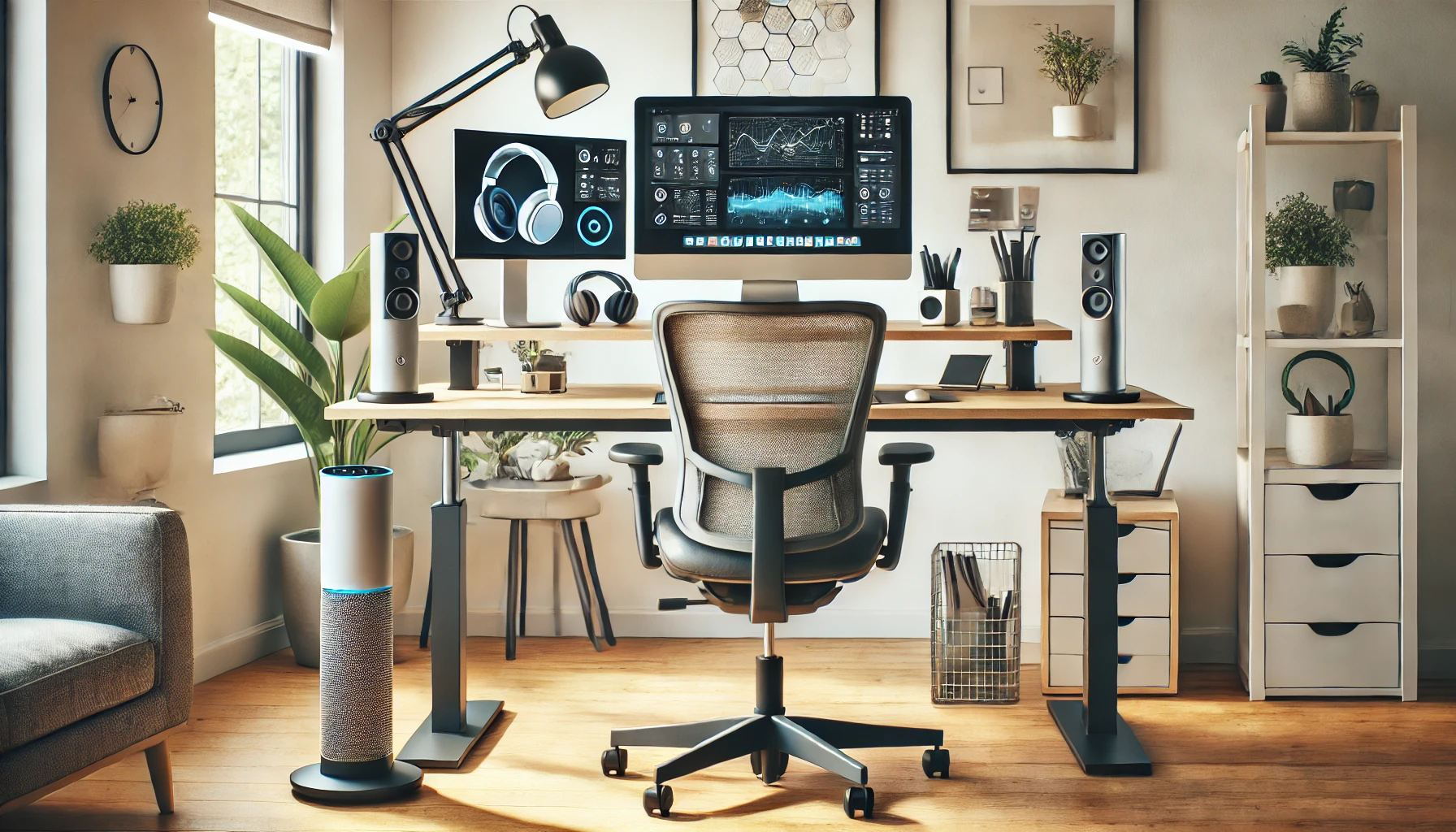
10 Must-Have Home Office Gadgets to Supercharge Your Productivity

Posted on October 23, 2024April 6, 2026 By John Corcione No Comments on 10 Must-Have Home Office Gadgets to Supercharge Your Productivity

Table of Contents

Toggle
  • Introduction: Is Your Home Office Setup Holding You Back?
  • 1. Ergonomic Office Chair: Comfort Meets Productivity
  • 2. Height-Adjustable Standing Desk: The Ultimate Flexibility
  • 3. Noise-Cancelling Headphones: Stay Focused, Block Out Distractions
  • 4. High-Quality Webcam: Professional Presence for Virtual Meetings
  • 5. USB Docking Station: More Ports, Less Hassle
  • 6. Wireless Charging Station: Tidy Desk, Charged Devices
  • 7. LED Desk Lamp with Adjustable Brightness: Illuminate Your Productivity
  • 8. Smart Assistant: Let AI Simplify Your Day
  • 9. Cable Management Solutions: Keep the Clutter Away
  • 10. Dual Monitor Setup: Expand Your Workspace
  • Frequently Asked Questions
  • Conclusion: Upgrade Your Productivity with These Gadgets

Introduction: Is Your Home Office Setup Holding You Back?

Working from home has become the new norm for many, but how productive is your current setup? Whether you’re a seasoned remote worker or just transitioning, having the right gadgets can make a significant difference. A cluttered desk or outdated equipment might be costing you precious time and focus. In this blog, we’ll explore 10 must-have home office gadgets that can take your productivity to the next level, helping you work smarter, not harder.

1. Ergonomic Office Chair: Comfort Meets Productivity

The first gadget to supercharge your productivity is an ergonomic office chair. Why? Because comfort is key. Studies show that sitting in a poorly designed chair can cause back pain and fatigue, reducing productivity by up to 20%. An ergonomic chair supports your posture, making long working hours comfortable and efficient.

Look for a chair with adjustable features like lumbar support, height, and tilt. Popular models like the Herman Miller Aeron and Steelcase Gesture are on the pricier side, but they are investments that pay off with better comfort and improved health.

2. Height-Adjustable Standing Desk: The Ultimate Flexibility

Standing desks have gained popularity, and for good reason. A height-adjustable desk allows you to alternate between sitting and standing throughout the day. This reduces the risk of health issues linked to prolonged sitting, such as cardiovascular problems. Plus, standing can boost energy and help you stay focused.

Products like the FlexiSpot and the VariDesk offer a range of standing desks at different price points, allowing you to seamlessly switch positions while working.

3. Noise-Cancelling Headphones: Stay Focused, Block Out Distractions

Working from home comes with a unique set of challenges—like noisy neighbors or family members. Noise-cancelling headphones are a game-changer when it comes to keeping distractions at bay. Brands like Bose and Sony have models that not only block out noise but also deliver crystal-clear audio for calls and meetings.

With fewer distractions, you can focus on the task at hand, helping you accomplish more in less time. Noise-cancelling headphones are perfect for those who need to create a distraction-free zone at home.

4. High-Quality Webcam: Professional Presence for Virtual Meetings

Virtual meetings are a staple of remote work. A good-quality webcam ensures that you come across as professional during calls. A clear video feed can also help establish better connections with clients and coworkers.

The Logitech C920 is a popular choice, providing HD video quality with great autofocus features. A good webcam allows you to present yourself in the best light—literally and figuratively.

Audible Free Trial Review

5. USB Docking Station: More Ports, Less Hassle

If you frequently find yourself short of USB ports, a docking station can be a lifesaver. It lets you connect multiple devices—like monitors, a mouse, a keyboard, or external storage—to your laptop with ease. This simple gadget streamlines your workspace and makes multitasking effortless.

Anker and Dell make excellent docking stations that support multiple displays and data transfer, making your setup efficient and reducing the need to constantly plug and unplug devices.

6. Wireless Charging Station: Tidy Desk, Charged Devices

A wireless charging station can be a neat solution to the tangle of charging cables on your desk. Devices like the Belkin Boost Charge can charge multiple gadgets, including your phone, smartwatch, and earbuds, all in one place.

This not only keeps your workspace clutter-free but also ensures that all your devices stay charged without having to deal with numerous cables.

7. LED Desk Lamp with Adjustable Brightness: Illuminate Your Productivity

Proper lighting can make a big difference in your productivity levels. An LED desk lamp with adjustable brightness helps reduce eye strain, especially when working late into the night. Many LED lamps even come with settings to adjust the color temperature—from warm to cool—based on your preferences.

The BenQ e-Reading Desk Lamp is one of the top options, providing even lighting across your workspace to help you stay focused and comfortable.

8. Smart Assistant: Let AI Simplify Your Day

A smart assistant like Amazon Echo or Google Nest can help automate repetitive tasks in your workday. Set reminders, control office lighting, or even schedule meetings with simple voice commands.

Integrating a smart assistant into your home office allows you to stay hands-free and focus on more important work, making your day more productive and organized.

9. Cable Management Solutions: Keep the Clutter Away

Loose cables can turn any desk into a disorganized mess. Simple gadgets like cable clips, cable boxes, or even a cable sleeve can keep everything tidy. This not only makes your workspace look more professional but also helps you stay organized.

A neat desk leads to a neat mind—keeping you focused on tasks rather than distracted by the clutter around you.

10. Dual Monitor Setup: Expand Your Workspace

Finally, a dual monitor setup is one of the most effective gadgets for improving productivity. Studies have shown that using dual monitors can increase productivity by up to 42%. It helps reduce the time you spend switching between tabs and gives you a much larger digital workspace.

If you deal with multiple applications or need to keep reference materials visible while you work, a dual monitor setup can be a game-changer. Brands like Dell and LG offer affordable and high-quality monitors that pair well together.

Audible Free Trial Review

Frequently Asked Questions

Q: Are standing desks really better for productivity?

Yes, standing desks can be beneficial for productivity because they encourage movement, reducing fatigue from prolonged sitting. Alternating between sitting and standing keeps energy levels high and improves focus.

Q: Why is an ergonomic chair important for a home office?

An ergonomic chair helps maintain good posture, reduces physical discomfort, and prevents back issues—all of which are critical for staying productive during long workdays.

Q: Can noise-cancelling headphones help if I live in a noisy environment?

Absolutely. Noise-cancelling headphones are a lifesaver for those in noisy environments, allowing you to focus on your work by blocking out distractions.

Q: Do I need a dual monitor for a home office setup?

While not essential, a dual monitor setup is highly recommended if you work with multiple documents or applications at once. It can save you time and make multitasking much easier.

Q: What is the benefit of using a smart assistant in a home office?

A smart assistant helps automate repetitive tasks like setting reminders or scheduling meetings, allowing you to stay focused on more important work.

Conclusion: Upgrade Your Productivity with These Gadgets

Incorporating the right gadgets into your home office can drastically improve your productivity and make your workday more enjoyable. From ergonomic chairs to smart assistants, each gadget serves a purpose that helps you work efficiently and comfortably. Remember, investing in the right tools for your workspace isn’t just about comfort—it’s about improving your workflow and setting yourself up for success.

Whether you’re just starting out or looking to upgrade your current setup, these gadgets can make a significant difference. Don’t settle for a subpar workspace when simple additions can supercharge your productivity.

Some links on this website are Amazon affiliate links. We may earn a small commission for qualifying purchases, which supports the website.


Please Support Us Across All Platforms!** Click Here to explore and follow us on our other platforms. Your support helps us grow and continue providing great content! —

Reviews

Post navigation

Previous Post: Disney Plus and Hulu no longer offer subscription sign-ups via Apple
Next Post: Subclub now allows you to craft WordPress blog posts exclusively for paying subscribers

Related Posts

  • Four Candies Cute Mechanical Pencil Set review
    Sweet Writing Experience: A Review of the Four Candies Cute Mechanical Pencil Set Reviews
  • congress moves to ban deepseek what it means for ai innovation and uschina relations
    Congress Moves to Ban DeepSeek: What It Means for AI Innovation and U.S.-China Relations Lifestyle
  • Samsung Galaxy Buds 3 Pro
    Elevate Your Sound Experience: A Deep Dive into the Samsung Galaxy Buds 3 Pro Product Reviews
  • boost your devices security why you need to update to ios 186 now
    Boost Your Device’s Security: Why You Need to Update to iOS 18.6 Now! Lifestyle
  • future iphones what to expect from the iphone air to a foldable iphone and beyond
    Future iPhones: What to Expect from the iPhone Air to a Foldable iPhone and Beyond! Lifestyle
  • unveiling openais sora 2 app revolutionizing video creation with ai technology
    Unveiling OpenAI’s Sora 2 & App: Revolutionizing Video Creation with AI Technology Artificial Intelligence

Related Articles

unlocking emotions how emteq labs innovative sense glasses are revolutionizing emotional tracking and privacy concerns Unlocking Emotions: How Emteq Labs’ Innovative Sense Glasses Are Revolutionizing Emotional Tracking and Privacy Concerns Lifestyle
unsend your emails outlook recall feature now available on mac Unsend Your Emails: Outlook Recall Feature Now Available on Mac! Lifestyle
unveiling ios 26 exciting features like rcs encryption and live translate for airpods Unveiling iOS 26: Exciting Features Like RCS Encryption and Live Translate for AirPods! Lifestyle
Four Candies Cute Mechanical Pencil Set review Sweet Writing Experience: A Review of the Four Candies Cute Mechanical Pencil Set Reviews
USPS Resumes Shipping from China What New Tariffs Mean for Your Online Purchases USPS Resumes Shipping from China: What New Tariffs Mean for Your Online Purchases Lifestyle
uncovering the truth how to fix your nintendo switch 2s battery life reporting issues Uncovering the Truth: How to Fix Your Nintendo Switch 2’s Battery Life Reporting Issues Lifestyle

Let's engage and leave your comments.Cancel reply

This site uses Akismet to reduce spam. Learn how your comment data is processed.

About John

Senior IT & Telecom PM. 20 years in tech across T-Mobile, JPMorgan Chase, and Citibank. I write about the tools, AI, and practical tech that actually moves the needle for working professionals.

More about me →

Stay In The Loop

New articles on tech, AI, and practical tools — delivered when I publish. No spam.

📚 John Recommends

Audible Free Trial

I listen on my commute. One free book, cancel anytime — no catch.

Start Free Trial →

Affiliate link — I earn a small commission

⌚ John Recommends

Garmin Venu 4

Best health-focused smartwatch I've tested. Sleep, stress, HRV — all solid.

View on Amazon →

Affiliate link — I earn a small commission

💼 Work With Me

Senior IT/Telecom PM & Scrum Master

20 years at T-Mobile, JPMorgan Chase & Citibank. Available for project leadership, consulting, and contract roles.

Get In Touch →

Browse Topics

  • Artificial Intelligence (35)
  • Blog (24)
  • Entertainment (44)
  • Health (9)
  • Lifestyle (143)
  • Lifestyle Insights (11)
  • Mental Wellness (1)
  • Product Reviews (5)
  • Reviews (253)
  • Sports (2)
  • Tech Talk (53)
  • Technology (126)
  • Thoughts (75)
  • Uncategorized (1)
  • Gemini's New Scheduled Actions
    Unlock the Power of Automation: Exploring Gemini’s New Scheduled Actions Feature for Task Management Artificial Intelligence
  • Phone cooling device manufacturers should reduce their use of ice.-- Why It’s Time to Chill Out on the Ice READ ABOUT UT HERE
    Phone Cooling Device Manufacturers should reduce their use of Ice Reviews
  • SAMSUNG Galaxy Z Flip 6
    In-Depth Review of the SAMSUNG Galaxy Z Flip 6: Unveiling the Future of Foldable Smartphones Reviews
  • Samsung Galaxy Buds 3 Pro
    Samsung Galaxy Buds 3 Pro Review – Ultimate Guide to Features, Performance, and Comparison Reviews
  • Sony is now considering the acquisition of Paramount
    Sony is now Considering the Acquisition of Paramount Technology
  • uncovering the truth how to fix your nintendo switch 2s battery life reporting issues
    Uncovering the Truth: How to Fix Your Nintendo Switch 2’s Battery Life Reporting Issues Lifestyle
  • Heart Rate Coming to Beats Pro
    Heart Rate Monitoring Possibly Coming to Powerbeats Pro 2 Technology
  • AI Landscape
    Stay Abreast of the Latest in the AI Landscape Technology

John C’s Place

Tech reviews, AI tools, and practical guides for working professionals. No fluff — just useful content when I publish something worth reading.

Legal

  • Terms of Use
  • Disclosure
  • Affiliate Disclosure
  • Privacy Policy

Copyright © 2026 John C's Place.

Powered by PressBook Premium theme